Replacing old Infrastructure – a step by step guide

Many organisations still have on-premises datacentres or computer rooms, or servers in co-location or hosted datacentres. These systems may have served the company well, but it is often the more complex and least understood systems that are the last to be modernised. Sooner or later there will be a need for a plan: to modernise, rationalise, migrate or retire. The trigger might be legacy hardware reaching end of life, a move to cloud, a new datacentre, a merger or acquisition, or the expiry of a contract or licence. It is also what technical debt looks like when it comes due.
This guide works through the process in seven steps. It suits an in-house team or an external adviser, and it is written to be followed in order.
- Discover what you have, where it is and what it does.
- Analyse the technical detail, server by server.
- Assess age, risk and the skills needed to support it.
- Define the options, starting with doing nothing.
- Decide, with a business case.
- Plan and migrate, in controlled stages.
- Decommission what is left, and close the loop.
By the end you should have an inventory, a dependency map, a risk register, costed options and a plan. If you only complete the first three steps, you will still know more about your estate than most organisations do.
Step 1: Discover what is out there
The current usage of systems needs analysis to find the key parameters that decide the right handling, destination and method of migration, or whether the system should be removed at all. Older systems usually have the least documentation, so expect to find things out the hard way.

Locations
- Where are the office datacentres, computer rooms, off-site co-location or hosted datacentres, branch offices, and any interstate or international presence?
- Which third-party contracts are involved?
- Use consistent names. Not “the datacentre”, but the suburb, building name and hosting provider.
Systems and scope
- What servers and systems exist? What is in scope, and what is excluded?
- Build a spreadsheet with a top-down view: business function, then application, then server or servers, then hardware, then facility.
- Get a network architecture diagram if one exists. It will help when you scan later.
- Are there multiple Active Directory domains, networks or security boundaries, for example from a past merger?
- What documentation is available, and when was it last updated?
Licensing and contracts
- How are servers and applications licensed? Remember Microsoft, VMware, network hardware and backup hardware.
- Are licences perpetual or subscription, and when do they expire?
- Are they named (per user), concurrent, or per CPU or core? Is backup software licensed by server, or by the amount of data backed up?
- What support and maintenance contracts exist, including any “right to upgrade”? Applications often have a maintenance agreement separate from support.
- Check how VMware is licensed now. Since Broadcom’s acquisition, perpetual licences have been discontinued and licensing has moved to per-core subscription, and minimum order terms have changed more than once (see this summary of VMware licensing changes). Confirm the current terms with your reseller.
Hardware
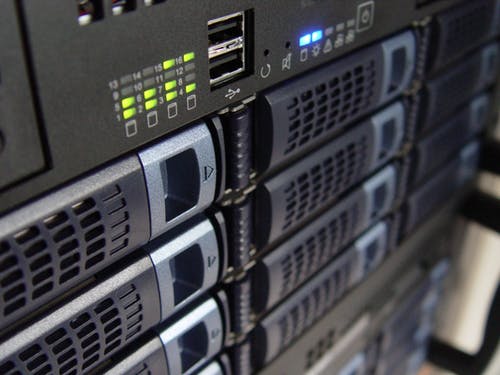
- Ask for a datacentre tour, and take photos of the racks and servers from the front and the back.
- Is there a configuration management database (CMDB) or an asset register?
- Do not forget backup tape drives and autoloaders, or KVM (keyboard, video, mouse) units.
- Record the make, model and version of each item.
- Add to the spreadsheet: server network name, make, model, operating system, version, patch level, condition and anything else available.
Record everything you can, including offline or powered-off items and hardware that is not explicitly in scope. Most IT teams are not fully aware of everything they have, so finding unknown items is common. Treat it as shared learning, not a gotcha, and it will build trust in the process.

Network and security
A high-level look at security early will shape your options later. See my Threat and risk assessment post.
- Are there old systems that cannot be secured to modern standards?
- Are there firewalls, and is there an older “trusted network” layered architecture?
- Is security documented or known? Are user accounts audited by the data owner or application owner? Are network rules (ports and protocols) known and implemented?
Business function and dependencies
- What is the business function of each in-scope system?
- How do applications interact and share information? Include any out-of-scope systems that in-scope systems talk to.
- Draw an application architecture to show relationships and communication.
- Look for undocumented tools, such as macros, scripts or services running on an old PC in the corner. I covered these in Shadow IT / Stealth IT. Find them before they find you.
Criticality
- How does each system get data, supply data and deliver services?
- Assess applications and their data against the CIA triad: confidentiality, integrity and availability.
- Has a disaster recovery plan or Business Impact Assessment (BIA) been done? It should give you the Maximum Tolerable Downtime (MTD), the Recovery Point Objective (RPO, how much data can be lost) and the Recovery Time Objective (RTO, how soon the system must be back). If not, my Business Impact Analysis questionnaire template is a good place to start.

The unwritten information
Some of the most useful facts are in people’s heads. Ask for opinions, past incidents and experiences, views on costs and overheads, and stories about problems such as getting parts or support, or building and facility issues. Write them down.
With this baseline in place, you can move on to the detail.
Step 2: Analyse the technical detail
Building on the baseline, a detailed review identifies the priority systems, the easy wins and the benefits nobody had spotted.
Review the technical assets
- List operating systems and patch levels, applications and versions, virtual machines and physical servers.
- Include supporting infrastructure where it matters: SANs, networks and backup.
- Consider a scanning tool such as Belarc Advisor, or use the tools you already have, such as HPE Systems Insight Manager, Microsoft Configuration Manager (formerly SCCM) or Intune, Dell OpenManage or Fujitsu ServerView. Tool names change, so check what is current.
- Get written approval before you scan. Active scans can disrupt fragile devices, particularly industrial and operational technology, so use passive discovery for those.
Review each server
Ask for a login to each server (administrator access is not required) and look at:
- Installed applications, including tools, utilities and obsolete software.
- Hardware management tools. If these exist on a virtual machine, it is a sign that a P2V conversion was not cleaned up.
- Assigned hardware: disks and disk space, CPUs, memory, interface cards and controllers. Is it adequate, or oversized?
- Duplicates, such as development, test and UAT servers, load-balanced pairs and clusters.
- Servers and databases that do nothing. Look for servers deployed as dev or test but never fully configured, using netstat and application configuration to check. Look for databases with no connections or recent access, and the last modified time of files in shared directories. These are the zombie servers.
- Firmware and management utilities. Very old firmware can need interim upgrades, and most firmware updates cause downtime. Record the effort, risk and impact of being out of date.
- Hosting servers, if VMware or Hyper-V is used, and shared storage (SAN, NAS, Fibre Channel and iSCSI networks).
Step 3: Assess age, risk and skills
Now turn the inventory into a risk picture. Record what you find in a risk register, with an owner for each risk.
Age and support
- Find the end-of-life dates for operating systems, hardware, applications and management tools, and check them against current vendor lifecycle pages. For example, extended support for Windows Server 2016 ends on 12 January 2027.
- Investigate driver availability for the current hardware with newer operating systems. Windows servers older than Server 2008 R2 may be 32-bit and not upgradable.
- Consult the manufacturer’s website for parts and warranty replacements. Find the cost of a replacement disk and power supply.
- Does the software or hardware vendor still exist? Is there online documentation, or has the vendor removed it? Do they still offer support, and at what fee?
Your report or business case should state the cost and risk of keeping older hardware: parts, a higher chance of failure, no drivers or updates, and no upgrade path.
Compliance and security
- Can the system be secured to the standard your organisation needs? Systems that are no longer supported by vendors conflict with the expectations of the Essential Eight.
- Does the system hold personal or sensitive information? Unpatched systems make it harder to show reasonable steps to protect it.
- Do customer or contract requirements demand controls that this system cannot meet?
Skills and people
A system is only as supportable as the people who understand it.
- Who can support it today? If the answer is one person, that is a single point of failure. Is the knowledge written down?
- Who could support it in three years? Are vendors and the market still training people on this product?
- Can you find the skills locally? Adelaide is a small market, and the people with legacy skills are often the same ones other employers are hiring. The Digital Transformation Agency’s 2025 workforce report found that about 20% of the Australian Government systems surveyed already faced workforce resourcing challenges.
- What does it cost the people who use it? Slow and awkward systems cost staff time every day. Ask a sample of users how many minutes it costs them, then scale it up.
Step 4: Define the options, starting with doing nothing
Every option needs something to be measured against, so start with two baselines.
- Option 0: Do nothing. What happens to the risk, cost and people if nothing changes? Cost it honestly, including continued operation, opportunity cost, compliance impacts and skills.
- Option 1: Do minimum. Keep the system alive with updates, customisations and patches. It looks responsible, but it makes the system more fragile and more expensive to support every year.
Then define the real options. For each, decide whether the ambition is to improve (fix the problem, like for like), optimise (get more value, redesign the process) or innovate (do something not possible before). The product choice comes after the ambition.
| Option | When it fits | Watch out for |
| Retire | The system is not delivering business value | Hidden dependencies, and data that must be kept |
| Retain with extra protection | Stable, low change, low risk, with a review date | Compensating security controls and a skills plan |
| Consolidate | Short term: move services to the newest of the old hardware | It concentrates risk on ageing kit |
| Upgrade | Short term: add hardware to the newest server | More investment in a dead end |
| Application upgrade | The vendor still supports and develops the product | Customisations that must be reworked |
| Cloud or SaaS | The capability is a commodity the market sells well | Egress and ongoing costs, and exit terms |
| Data retention in a data warehouse | Only the data is still needed | Access, format and retention rules |
| Data retention in backups | Rarely accessed records | You must keep the restore equipment and software |
A few notes on the table:
- For cloud, make sure the infrastructure cost calculation includes data ingress and egress, and plan how you will govern spending afterwards. A cloud discount is not always a saving, and the risks of SaaS need weighing too.
- If you choose to retain, say so as a decision with a review date, not as a default.
- The full thinking on choosing between retire, retain, replace and evolve is in my article on legacy modernisation. [LINK: Legacy modernisation: retire, retain, replace or evolve, once published]
Unique systems: SCADA, industrial control, OT and specialised systems
- If the system is heavily customised or bespoke, is it delivering business value? Is it really required to be this way, or is it only what we have always done? A full business analysis should challenge why it needs to be customised, and whether an off-the-shelf package exists.
- Can a physical machine be virtualised to move off legacy hardware?
- Will the software vendor support a change to the operating system or hardware?
- Are custom licence keys or hardware dongles required?
Step 5: Decide, with a business case
With the inventory, risks and options in hand, the decision should be a structured comparison, not a hunch.
- Agree the criteria and weightings before you look at the options. Typical criteria are risk reduction, five-year cost, compliance, skills sustainability, benefits and deliverability, including the change load on staff.
- Score Option 0 and Option 1 first, at 12 and 36 months, so the rest are measured against a real baseline.
- Cost every option over the same period. The South Australian Treasury’s evaluation guidelines (2014; check for a newer version) suggest generally less than five years for IT initiatives, and recommend at least three short-listed options including the base case. They also say to leave out sunk costs. What has already been spent on the old system should not decide anything.
- Test the ranking. Change the weightings and see whether the order holds. If one number flips the answer, say so.
- Record the assumptions and the risk owner. Whoever accepts the residual risk should be named, and should have the authority to accept it.
The result is a business case that explains why you chose one option over doing nothing, in language a board can follow.
Step 6: Plan and migrate in controlled stages
Most infrastructure projects go wrong in the move, not in the choice. Break it into stages that you can stop, check and reverse.
- Group systems into waves using the dependency map from Step 1. Systems that talk to each other usually need to move together or in a planned order.
- Start with the low-risk, easy wins. Early success builds confidence and teaches you how your estate really behaves.
- Choose the method for each system: move it as it is, move it to a managed platform, or rebuild it. For gradual change, the strangler fig pattern moves one function at a time while the old system keeps running.
- Take a verified backup first, and test the restore.
- Test before you cut over. Rehearse in a test environment, validate the data after migration, and check performance and integrations.
- Write the cutover and rollback plan. Decide the point of no return, who makes the call and how long you will wait before going back.
- Carry the security controls across. A new platform is not secure just because it is new.
- Plan for failure. Assume something will break, as I explain in Design for Failure and How to design for failures.
- Bring the people with you. Tell users what is changing, when, and what to do if something goes wrong, and train them before the change. A migration that the business cannot use is not finished.
Step 7: Decommission and close the loop
The project is not over when the new system goes live. The savings and the risk reduction only arrive when the old one is gone.
- Confirm nothing still depends on it. Check usage and connection logs, and ask the business.
- Switch off in stages. Power it down first, and keep it for an agreed period, such as 30 to 90 days, before removal. A scream test is a useful last check, as long as you have a way back.
- Keep the data you must keep. Archive it according to the retention rules, and test that you can restore it.
- Sanitise before disposal. Securely erase or destroy storage, keep a certificate or record, and dispose of equipment responsibly.
- Close the contracts and licences. Check renewal dates and notice periods, cancel support and maintenance you no longer need, and watch for auto-renewals.
- Tidy the loose ends. Remove DNS entries, firewall rules, service accounts and certificates, and update the asset register or CMDB and your disaster recovery documentation.
- Measure against the baseline. Compare the result with the Option 0 and Option 1 numbers from your business case, and record the lessons learned.
Do this well and the next replacement starts from a documented, understood estate, not a mystery.
What has been the most surprising thing you found when you took stock of an old environment? I would like to hear.
