How to stop Shadow IT before it starts
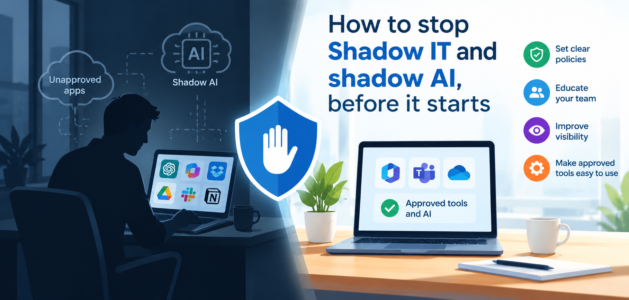
Shadow IT is rarely rebellion. It is a signal that someone has a problem to solve, and the official route did not solve it.
I described what Shadow IT is, and what it costs, in Shadow IT / Stealth IT. This article looks at the other side: how to stop it before it starts. The answer is not a tougher policy or a firewall rule. It is good engagement. When IT leaders sit with the operational people, understand what they need and want, and bring them into product selection and design, the official option becomes the better option. And when the official option is better, there is much less reason to go around it.
In a consulting engagement I commenced at a not-for-profit organisation that had no IT leadership (but some very enthusiastic helpdesk people), I was tasked to migrate the on-premises fileserver to SharePoint Online to enable collaboration, co-authoring, and remote working. In the analysis of files to migrate, we unearthed nearly a hundred macro-enabled spreadsheets – which it ended up were critical to business operations. That was not as bad as Microsoft Access databases, which numbered nearly five hundred – with duplicates and variations, so nobody knew which system was the actual source of truth. It was clear that the Shadow IT culture was the IT culture – managers were purchasing platforms and subscribing to cloud services with absolutely no consultation with the helpdesk – but then expected the helpdesk to integrate and support these systems.
Why Shadow IT appears
People rarely set out to break the rules. Shadow IT appears for four reasons, and none of them is malice.
- “I can do it better myself.” The person who does the work every day knows exactly what they need. With a spreadsheet, a macro or a Microsoft Access database, they can build it in an afternoon, while the official solution takes months and still does not fit. A self-built macro that does the job well is a perfectly sensible thing to do, until it becomes the thing the business depends on. These are the “unexpected examples” of Shadow IT I listed in Shadow IT / Stealth IT: Excel workbooks and macros, Access databases and Word macros.
- It is very easy to buy. A cloud service needs an email address and a corporate credit card. The subscription is claimed back as an expense, with no procurement, no security review and no one in IT ever knowing. As I noted in that post, cloud services are so easy to consume that a manager can subscribe to a low-cost service that seems to meet every need IT has not provided.
- IT said no, or said later. When the answer is a long queue or a flat refusal, people hear “you are on your own”.
- Nobody asked. The official system was chosen without input from the people who use it, so they adapt it, work around it or leave it for something that fits.
- IT was a back-office task, and had no leadership. There was nobody in IT to push back, set a strategy, or guide people that going off and doing it themselves would not be a good idea. IT in the basement, called upon only when something fails, and no executive visibility, can all compound this.
In most of these cases, the person is trying to do their job well. That is the opening for IT leadership: the energy that built the workaround can be harnessed, not fought.

Who is your process designed for?
This is the question I ask first. Is the system, and the process around it, designed for the person doing the work, for the auditor, or for the convenience of IT?
In Poor process, also not followed I described processes that are “optimised for the wrong people”: written for compliance, or by someone who does not understand the practical reality of the work, so they become easy to skip or bypass. The same is true of systems. When a system is designed for the auditor, the person on the front line sees extra steps and no benefit. So they find another way. That other way is Shadow IT. That post also covers split processes, where an old manual or off-system process carries on after a new system arrives.
A simple test: watch a real user complete a real task in the official system, then ask what they keep beside it. The spreadsheet open on the second screen, the macro that tidies the export, the notes file of tricks. That spreadsheet is the requirements document nobody wrote. It tells you exactly where the official system does not fit the work.
The risks, in short
I covered the full list of impacts in Shadow IT / Stealth IT. Three deserve a closer look.
- Data loss. The data may sit in a personal account, a free tier or a spreadsheet on one laptop, with no backup. If the credit card expires, the subscription lapses and the data may go with it. If the person leaves, the account may leave with them.
- Broken processes. A macro or MS Access database built by one person works until that person moves on, or an update changes how the software behaves. Nobody else knows how it was written, what it depends on or why it does what it does. The process quietly stops working, often at the worst possible time, such as month end.
- Compliance. Personal or sensitive information held in an unapproved service can breach privacy obligations. There may be no audit trail, no control over who has access and no way to meet records retention rules. If your customers or contracts require particular security controls, an unapproved tool may breach them without anyone knowing.

AI is the new Shadow IT
Everything above is happening again with AI, only faster. Microsoft and LinkedIn’s 2024 Work Trend Index found that 78% of AI users were bringing their own AI tools to work, 80% in small and medium-sized companies, and that 52% were reluctant to admit to using AI for their most important tasks. That is Shadow IT with a smile.
The cause is the same. If the official AI rollout is slow, or the official policy is so restrictive that the approved tool cannot do the job, people do not stop wanting AI. They open a browser and use a free one. The more cautious the organisation, the more invisible the use.
The risks of free and external AI tools
- Data leakage. Whatever is pasted into a public AI tool leaves your control. In 2023, Samsung banned generative AI tools after staff uploaded sensitive code to ChatGPT. Terms differ by product and by tier, so check what each service does with your inputs. Free versions often have fewer controls than business versions.
- Privacy law. The Office of the Australian Information Commissioner recommends that organisations do not enter personal information, particularly sensitive information, into publicly available generative AI tools.
- No oversight. There is no record of what was asked, what was answered or who relied on it, so there is nothing to audit when something goes wrong.
- Unchecked answers. AI makes mistakes and invents information, as I covered in The need for Responsible AI. An unofficial tool comes with no guidance on checking its work.
The fix is not a ban. A ban on its own pushes the use out of sight. The fix is to give people an approved AI tool quickly, even a limited one, explain clearly what data may and may not go in, and keep improving it. I outline a practical first 90 days in How to get started in AI.

How to stop it before it starts
Prevention is a leadership habit, not a control. Here is what I would do:
- Go and sit with the people who do the work. Not a workshop of managers. Watch the work, and ask what they keep outside the system, which spreadsheets they rely on and what they wish the system did.
- Bring them into product selection and design. Operational people spot the awkward step in a demo within minutes. Include some sceptics in the pilot, as I suggested in the Digital Transformation Roadmap, so the objections arrive early, not after the rollout.
- Make “yes, and here is how” the default. Publish a simple request route, answer within days, and keep an approved catalogue with a fast check for low-risk tools. If the answer has to be no, give the reason and a workable alternative.
- Write policies people can find and follow. My advice in Creating good policies and procedures applies directly. A policy should be easy to find, simple to read by the people who must follow it, relevant to the business, and regularly reviewed. Add a paragraph on the intent, so people do not go hunting for loopholes. A one-page “can I use this?” guide beats a forty-page acceptable use policy that nobody reads.
- Find what already exists, without punishing anyone. Run an amnesty and ask people to list the tools, spreadsheets, macros and databases they depend on. Adopt the good ones into a supported platform, retire the risky ones, and record an owner and a backup for each. Switching something off to see who complains, a scream test, is a last resort and should be done carefully, with a way back.
- Make the official option easier than the workaround. If the supported route is slower, people will not use it. The same happens with communication tools, covered in How many inboxes do you have? For business-built tools, offer a supported way to build, such as a managed platform with guardrails.
- Measure the signal. Track time to decide on a request, requests approved, and the number of unknown tools found each quarter. A falling number of discoveries means people trust the front door.
Shadow IT is a symptom. The cause is a gap between what the official system provides and what the work needs. Close the gap by listening, and most of the shadows disappear.
What Shadow IT have you found in your organisation? I would like to hear.
